


Session - Private Messenger
4.61.14K Reviews
App Specs
- Version
- 1.33.5
- Updated On
- License
- Free
- Downloads
- 5,000,000+
- Developer
- Session Foundation
- Categories
- Communication
- Platform
- Android
Screenshots
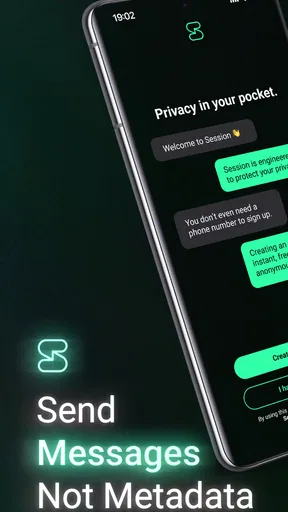
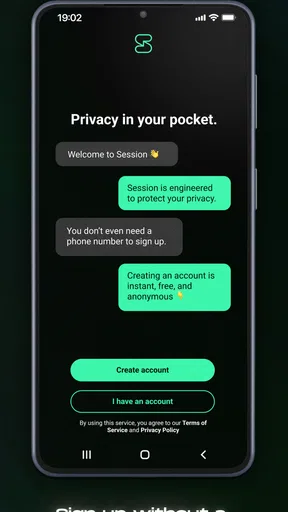
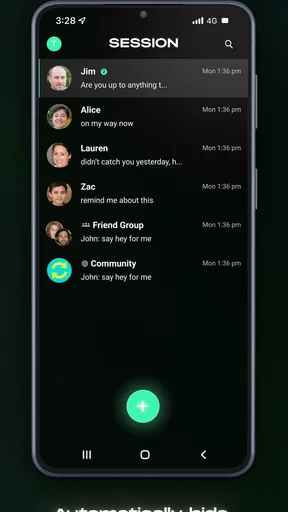
 Analysis by AppCompare
Hey there! So, I've been diving into the world of messaging apps, and today I'm super excited to share my thoughts on Session - Private Messenger. If you're like me and value privacy like it's gold, then this app might just be your new best friend. Let's get into the nitty-gritty, shall we?
Why Session Stands Out
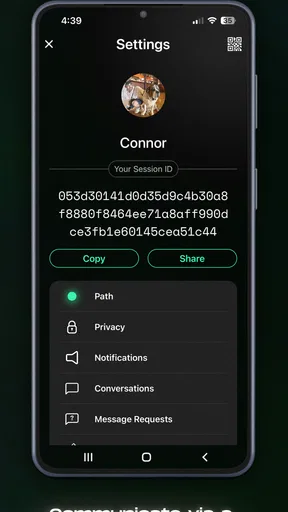
First off, let's talk about what makes Session unique. This app is all about privacy. We're talking no phone numbers, no emails, and no user data collection. It's like the Fort Knox of messaging apps. You create a Session ID, and boom, you're anonymous. It's designed for folks who want to keep their conversations off the grid.
Setting Up Your Private World
Setting up Session is a breeze. You download the app, generate your Session ID, and you're ready to roll. The interface is clean and intuitive, which I totally appreciate. No need to navigate a maze to find your contacts or start a chat. It's all right there at your fingertips.
One of the coolest features is the lack of a central server. Instead, Session uses decentralized network architecture, which means your messages are routed through a bunch of nodes. Think of it as your message taking a scenic route to the destination. This adds a layer of security that is pretty impressive.
Features That Impress
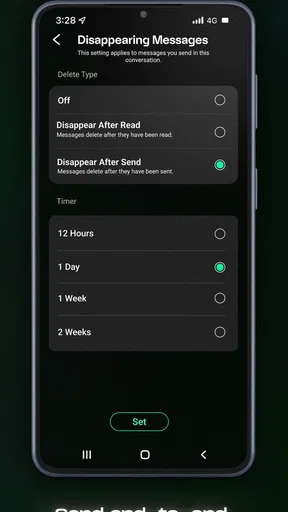
So, what can you actually do with Session? Well, it's packed with features like text messaging, voice messages, and file sharing. You can even create group chats, which is perfect if you're planning a surprise party or just want to chat with your crew. Oh, and did I mention everything is end-to-end encrypted? Yep, your messages are for your eyes only.
Session also supports onion routing. I know, it sounds like something out of a spy movie, but it's just another way to keep your data safe and sound. It adds an extra layer of privacy by bouncing your communication through several nodes before it reaches its destination.
Using Session Day-to-Day
On a day-to-day basis, Session performs like a champ. The messaging is smooth, and I haven't experienced any hiccups or delays. It's fast, reliable, and gets the job done without any fuss.
Worth Reading Before You Choose

EA SPORTS FC Mobile 26 Is a Bigger Football Game, but It Takes Time

Flipboard Shows What News Apps Must Do Beyond the Feed

Switching to Android Auto Means Rethinking Your Driving Routine

Google Calendar Makes a Crowded Week Easier to Manage

Ludo King Makes the Most of the Minutes Between Plans

Baby Panda World Brings Quick Play to Modern Phones, but Its Game Library Feels Busy
One thing to keep in mind, though, is that because it's so privacy-focused, it doesn't have some of the bells and whistles you might find in other apps. There are no read receipts, and you won't get notifications if someone is typing. But honestly, I found this to be kind of freeing. No pressure to reply immediately or worry about leaving someone on read.
Is Session Right for You?
If you're someone who values privacy above all else, then Session - Private Messenger is definitely worth checking out. It's ideal for anyone looking to keep their conversations under wraps. However, if you need features like video calls or integration with other services, you might need to pair it with another app.
Overall, I've been really impressed with Session. It's a solid choice for secure messaging, and it's refreshing to see an app that truly values user privacy. If you decide to give it a try, I'm sure you'll find it as intriguing as I did!
Ready to dive into a world of private conversations? You can find Session - Private Messenger on both Android and iOS. Happy chatting, and remember, what's said in Session, stays in Session!
Pros
- End-to-end encryption ensures privacy.
- No ads for distraction-free messaging.
- Open-source platform enhances security.
- Supports voice and video calls.
- Cross-platform availability on Android and iOS.
Cons
- Limited customization options for themes.
- Occasional connectivity issues reported.
- No cloud backup for message history.
- Requires more storage space than competitors.
- Less known
- smaller user base.
FAQs for Session - Private Messenger
What is Session - Private Messenger?
Session is a privacy-focused messaging app designed to keep your communications secure and anonymous. It eliminates the need for phone numbers or email addresses, using a unique Session ID instead. This ensures that your identity is protected while you chat, send voice messages, or share files.
How does Session ensure user privacy and security?
Session employs end-to-end encryption, meaning only you and the recipient can read messages. It also uses onion routing to anonymize your IP address, preventing third parties from tracking your location or monitoring your activity. These features make it a strong choice for privacy-conscious users.
Can I use Session without providing personal information?
Yes, Session allows you to create an account without sharing any personal information, such as phone numbers or email addresses. You receive a unique Session ID to connect with others, ensuring that your identity remains private while using the app.
Is Session available on multiple platforms?
Session is available on both Android and iOS devices, as well as desktop versions for Windows, macOS, and Linux. This cross-platform availability ensures you can stay connected securely across all your devices, making it convenient for users who switch between different systems.
Are there any limitations when using Session?
While Session offers robust privacy features, it may lack some mainstream features found in other messaging apps, like video calls or extensive media sharing options. The focus on security and anonymity may also result in slightly slower message delivery compared to less secure apps.


